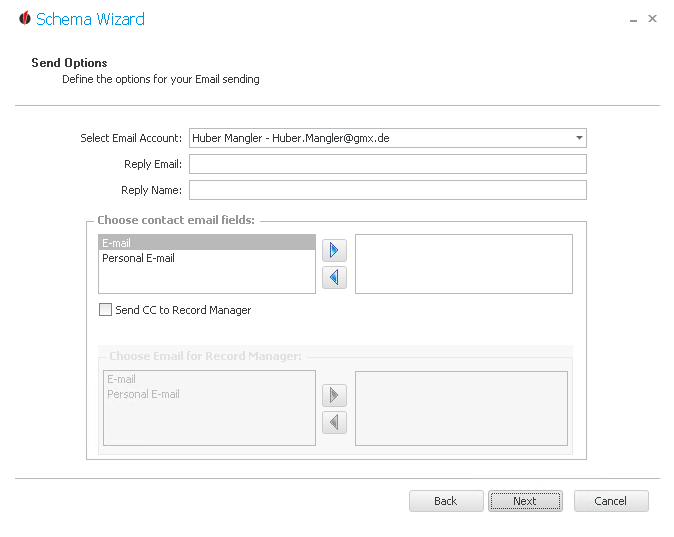
First you choose an e-mail account you want to send the e-mails with. Then you enter the e-mail address for the reply and which name appears.
Below that you have the possibility to either send the message to the professional or personal e-mail address of a contact.
With the arrow buttons 
 you can move the fields.
You can also send a copy to the Record Manager. If you have activated this setting you proceed like with the contact e-mail fields.
OUTREACH|IT sends e-mails either to the professional or the personal e-mail address. The program checks the fields, starting with the first one, and and sends the messages to the e-mail address that could be found first.
Now you click on Next.
You will get to the workflow settings.