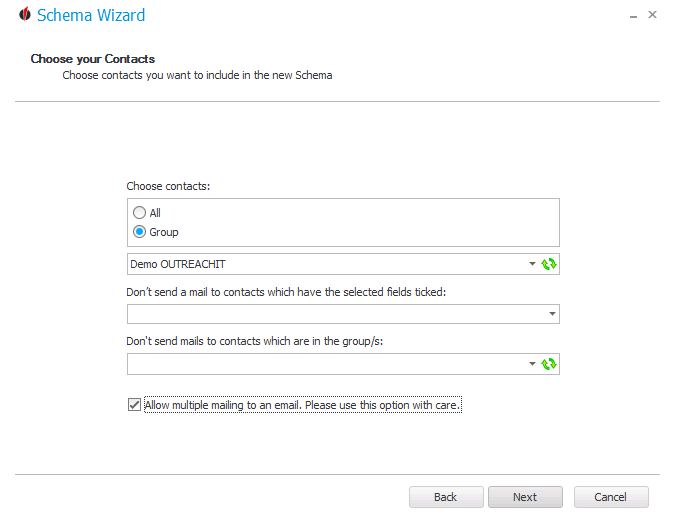
In this step you choose the contacts the e-mails should be sent to. You either pick All or Group. If you selected Group you have to choose an Act! group.
You can pick contact fields from Act!. You won't send a mail to contacts which have the selected fields ticked.
Also, you have the possibility not to send mails to contacts which are in the groups you have chosen here.
With the  symbol you update the lists.
There is also the option Allow multiple mailing to an email. Please use this option with care.
Example: When you work in customer support you can create e-mails that are sent whenever the support credit of the customer draws to a close.
If you use this option and also want to move the contacts you sent e-mails to a group in Act! we advise you to create a separate group specifically for this schema to avoid confusions.
In the end you click on Next. If you want to adjust anything in the previous window you can click on Back.
The next chapter explains how you set the Send options.