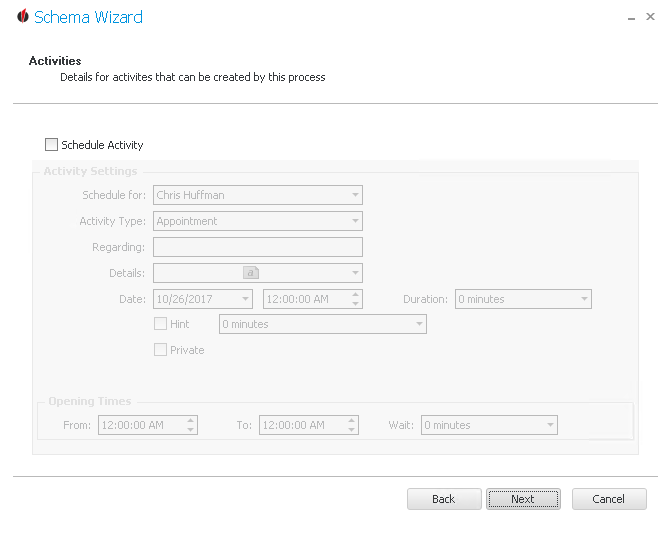
Here you can plan an activity if you want to.
In order to increase your opportunities and to optimize your workflow you have the possibility to create an automatic reminder for the activity. Thus, you can plan when to call a customer for a sales talk after the dispatch of the newsletter, for example.
First you open the dropdown list next to Schedule for and choose the record manager the activity should be planned for. Next you enter the Activity Type. Then you type in the subject for Regarding. You can also add further details.
Now you choose the date and the time the activity will be planned at and the duration. You also have the possibility to create a Hint which will remind you, for example one hour before, of the activity. Also, you can tick the activity as Private; then it will only be displayed for the contact the activity is planned for.
Also enter the opening times. These are the times the staff member you plan the activity for is at work. That way it is ensured that no activity is planned during a time when the selected employee is not there.
Once you have set everything click on Next.
In the end you get to the summary. |