With this function you create an automatic numbering for your opportunities. This ID can be displayed in a certain field of the opportunity. A new opportunity gets the next higher number.
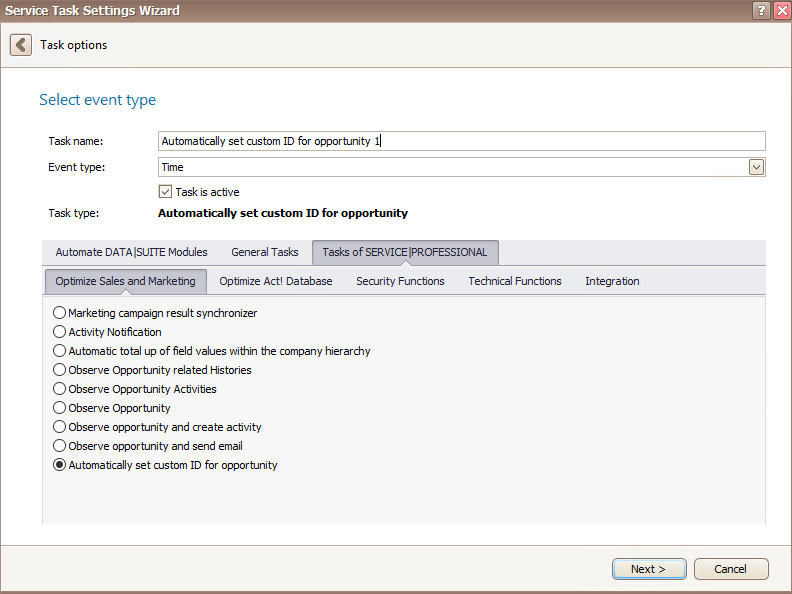
Once you have set the task type Automatically set custom ID for opportunity you click on Next.
You will get to the schedule options. Continue reading in the Trigger Time / Trigger Task chapter to find out how to proceed.
Click on Next.
The following window will open:
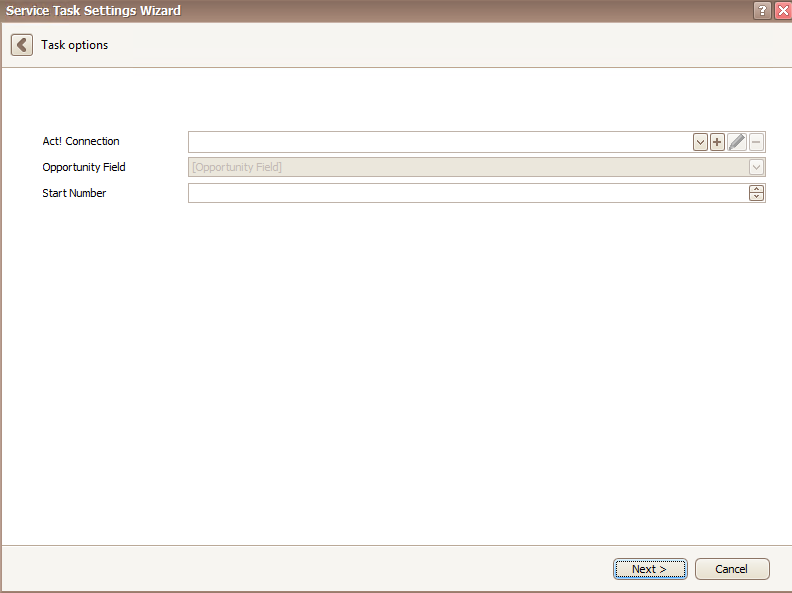
At first you pick an Act! connection. You can read more about this in the chapter Connect DATA|SUITE with Act!.
After that you pick an opportunity field where the numbering should appear, and you enter a start number for the numbering.
In the end you go on Next. You will now see the following:
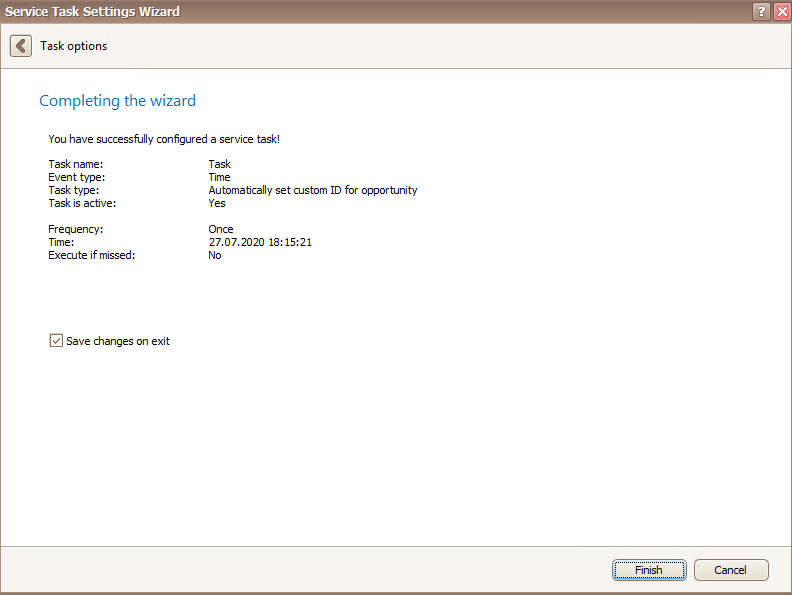
In the end you click on Finish. You successfully created a task to automatically set a custom ID for opportunities.

