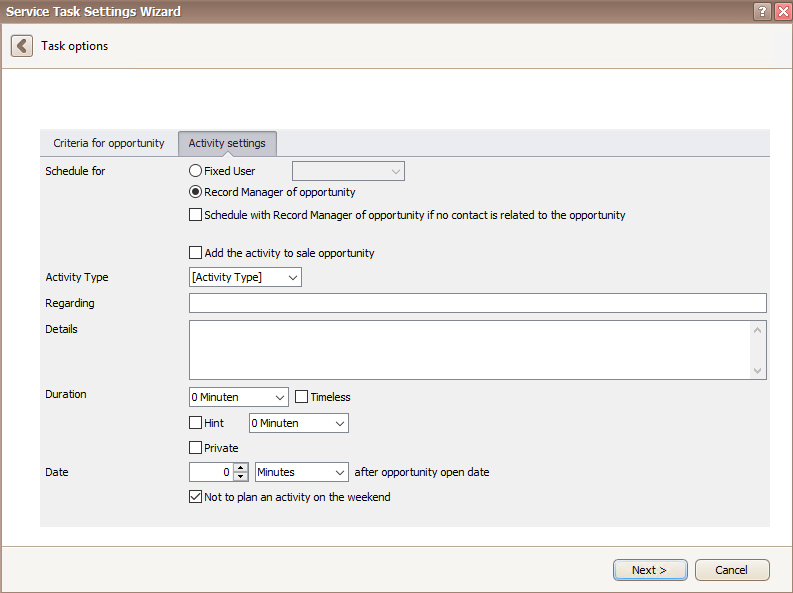
First, you choose, who the activity should be created for. You can decide either on a fixed user or on the record manager of the opportunity.
Additionally, there is the option to schedule an activity with the record manager of the opportunity if no contact is related to the opportunity. You can also directly add the activity to the sales opportunity.
Next, you choose an activity type and enter a subject under Regarding as well as details for the activity that is to be created.
There is the possibility to pick the duration of the activity or to mark it as timeless. You can also mark the activity as private. After that you enter the number of minutes, hours, days or weeks after the date of the opportunity the activity should be planned. There is an option not to plan an activity on the weekend. The activity will then be scheduled for the first day of the new week.
Once you set the date of the opportunity you can create a hint, which reminds the user the activity is planned for a few minutes, hours, days or weeks beforehand.
In the end you go on Next and continue reading in the chapter Observe opportunity and create activity.

