1. Search criteria tab
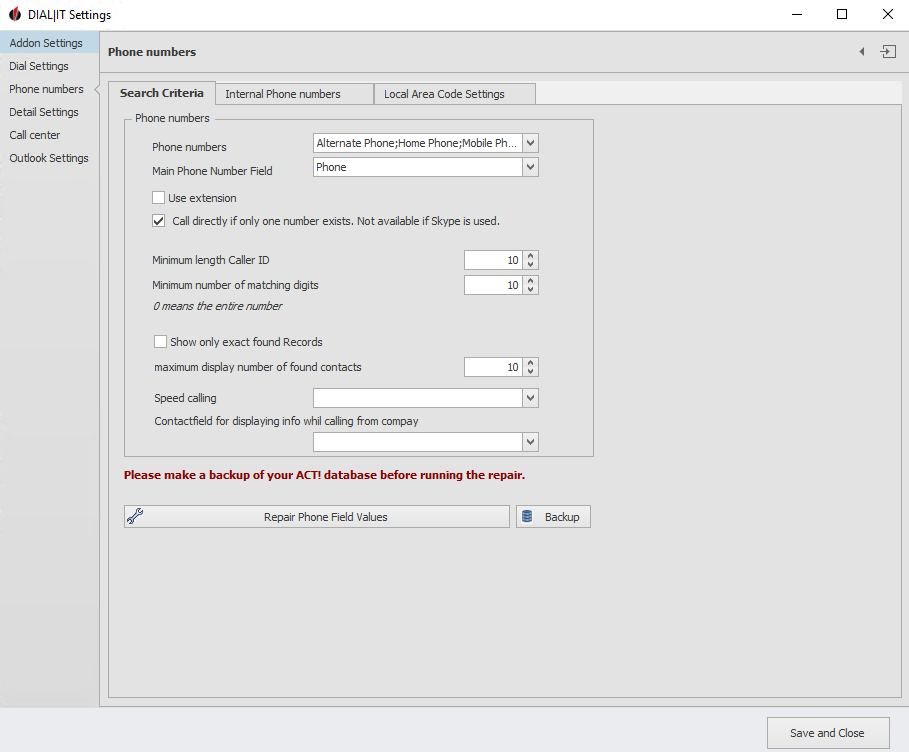
Select the Act! fields with phone numbers you can call with DIAL|IT. Then enter the default phone field. You have the possibility to use an extension number. You then specify this with the respective phone number. If you set a checkmark at Direct dialing, if only one number is available, the call will be started directly, without you having to confirm the number extra. You can also specify the minimum length of a Caller ID as well as how many digits of the number must at least match a phone number in Act! for it to be assigned to the corresponding contact. "0" means that the entire number must match. In addition, there is an option to display only exactly found records. Next, enter the maximum display number of found contacts. After that, select a field for quick dialing or a contact field for displaying the info when calling from your company, if you want.
With a click on Repair system internal phone numbers DIAL|IT checks possibly faulty phone numbers and repairs them for you. You can also create a backup of your phone numbers. But before that you must have created a database backup.
2. internal telephone numbers
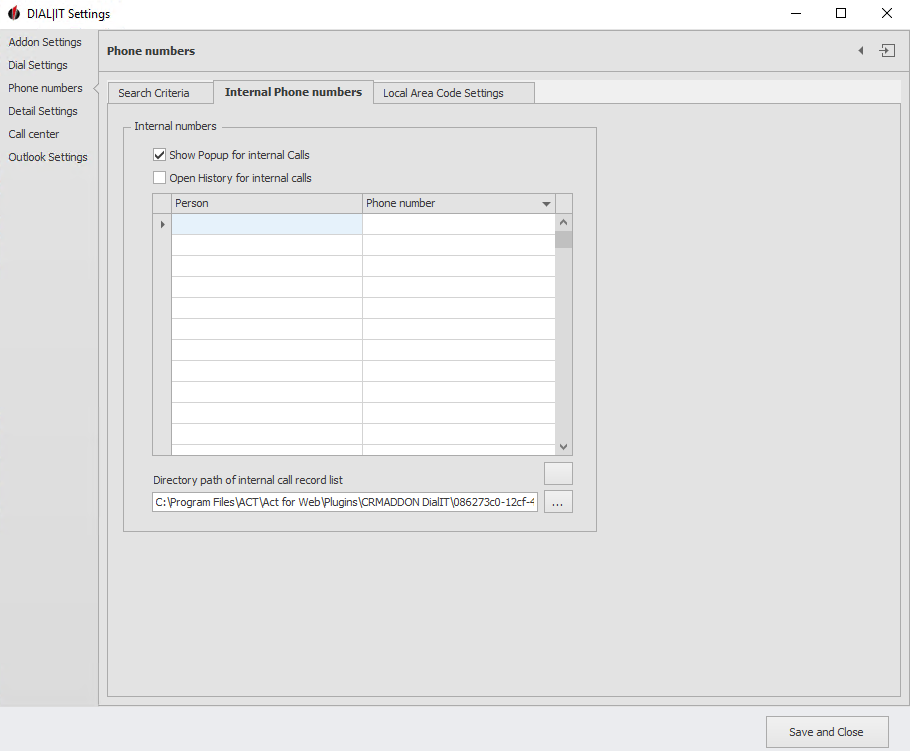
Here you can list the people (as well as their phone numbers) who are internal contacts, for example within your company. Specify the location for the internal caller list below by clicking on the three dots. The following window appears:
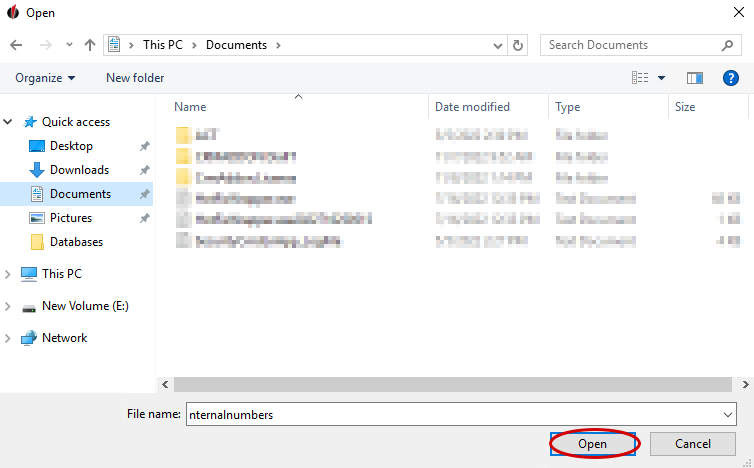
Select the desired folder and then go to Open. You have successfully changed the storage location.
If you check Show popup for internal calls, a popup window will also appear when you call an internal contact. You also have the option to display the log for internal calls.
3. Local Area Code Settings
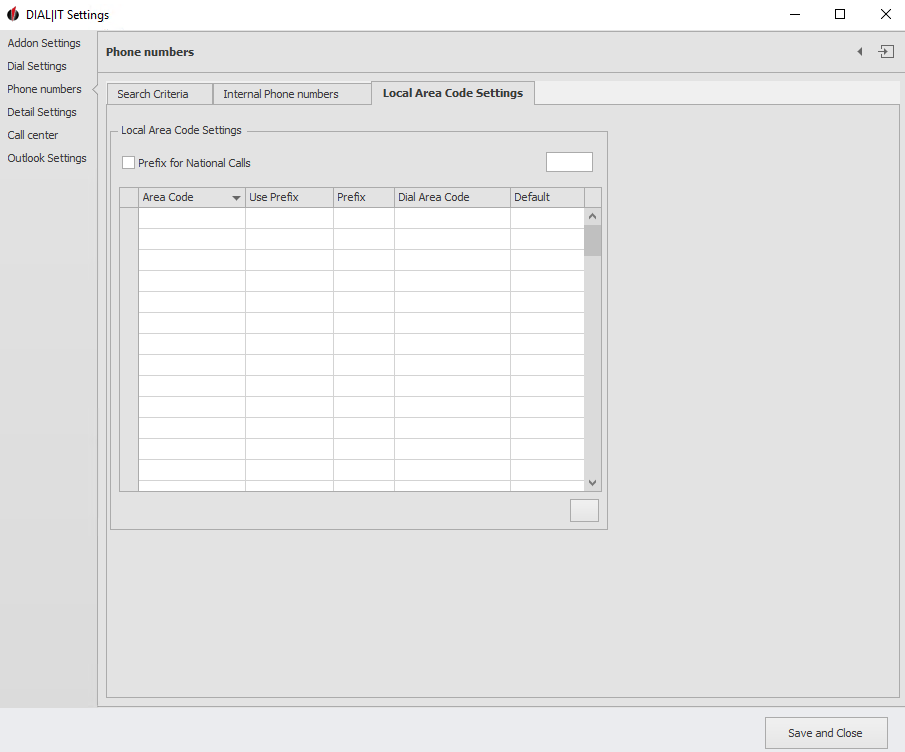
Here you can enter area codes and prefixes and select how they should be used. You can also specify a default setting for the use of an area code and prefix.
If you check Prefix for national calls, you can then enter a prefix that will always be used for calls within a country.

