Default Values Tab
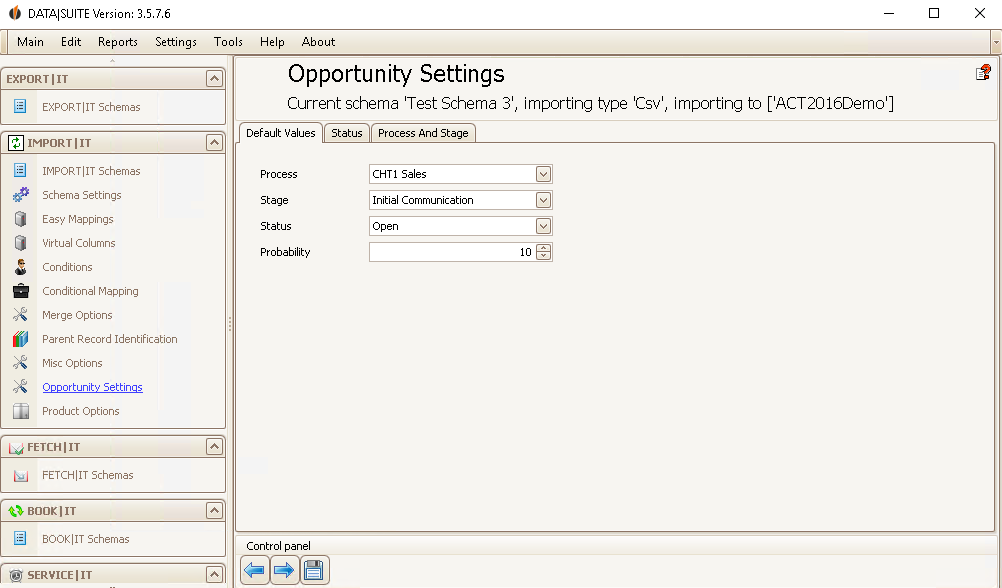
Here you can set the standard values for your opportunities. Every opportunity you import will be assigned to the process and stage chosen here. Also, every opportunity will get this status and probability.
Status Tab
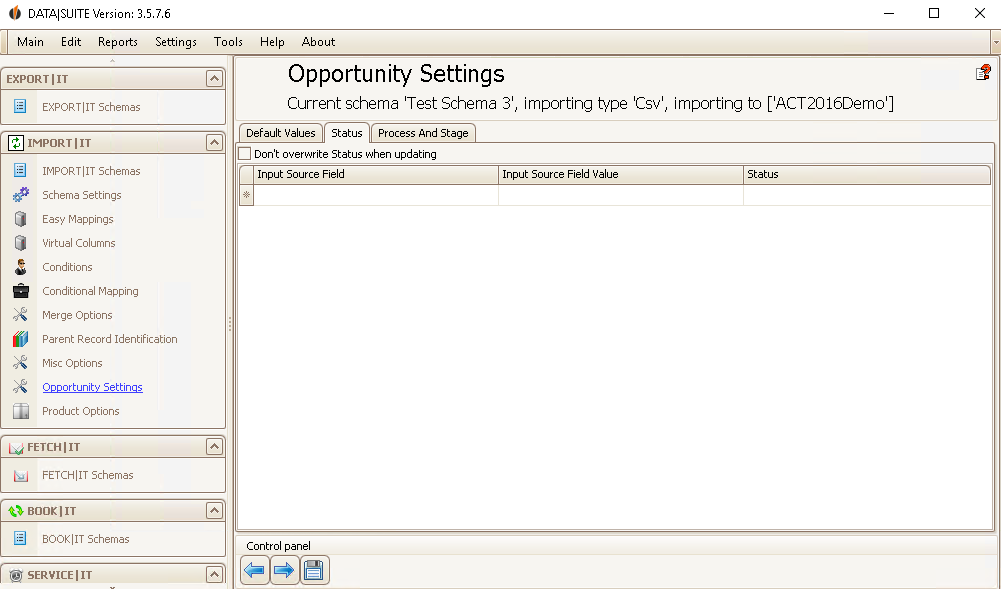
If you want to import the single opportunities with different status then you can set that here. When a source field of a data record has a specific value then this data record will be assigned your chosen status.
By selecting the desired row and pressing Delete on your keyboard you are able to delete a row.
If you don't want to overwrite the status during the import you can tick this option.
Process and Stage Tab
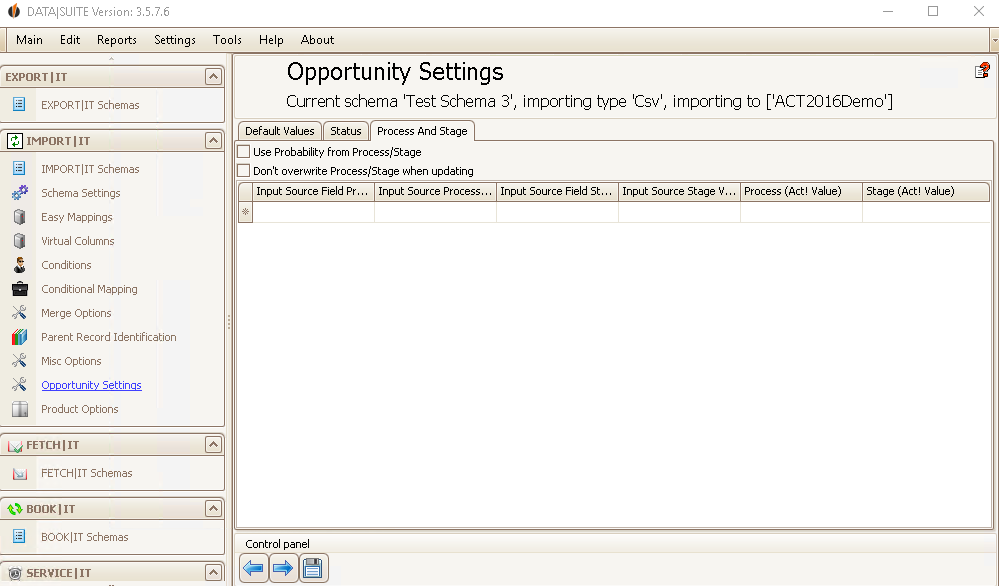
If you want to assign the processes and stages separately then you can do this here. Under Input Source Field Process you enter the name of the field in your source file where the processes are noted. For every stage of a process you should create an individual row. For Input Source Process Value you choose the name of the process from the dropdown list. After that, under Input Source Field Stage, you can pick the name of the field in your source file that contains the stage information. Choose the desired phase in Input Source Stage Value. In Process (Act! Value) and Stage (Act! Value) you decide on which process and stage name should be displayed with the opportunity in Act!.
By selecting the desired row and clicking Delete on your keyboard you can delete a setting.
There is the possibility to take over the probabilities of the processes and stages that you assign the opportunities you are importing to.
If you don't want to use this option, tick Don't overwrite Process/Stage when updating.
In the end, you click on the Save symbol.

