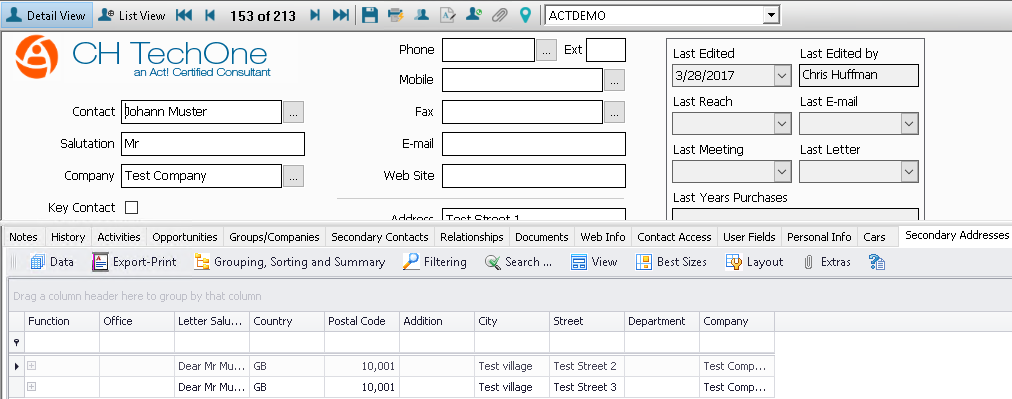
The import will be explained with an additional table that was created with TABLE|IT.
You can find out more about our product TABLE|IT on the product page. If you want to know how to create a table in Act!, go to the manual.
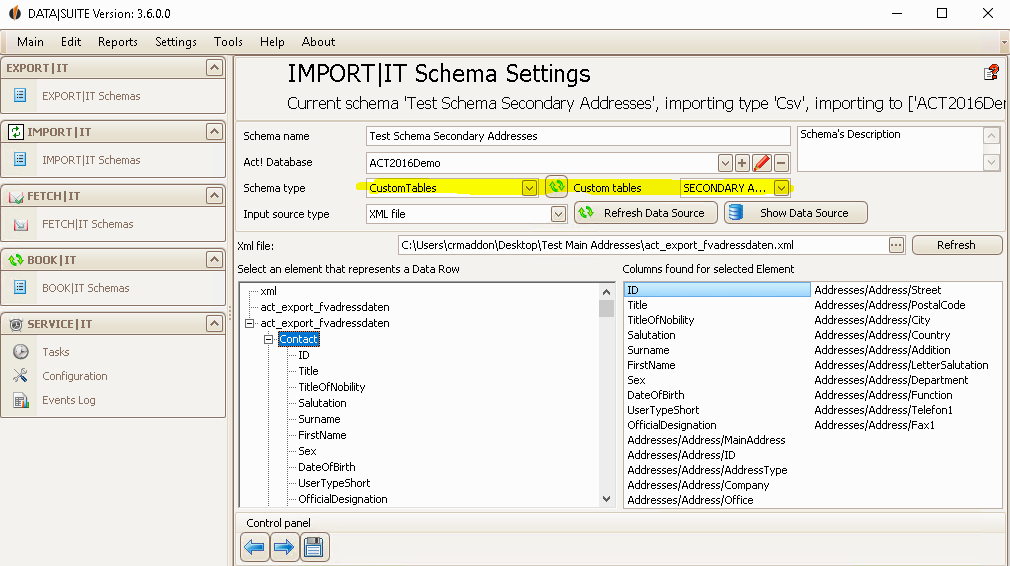
1. Creating a schema of the type "Custom Tables"
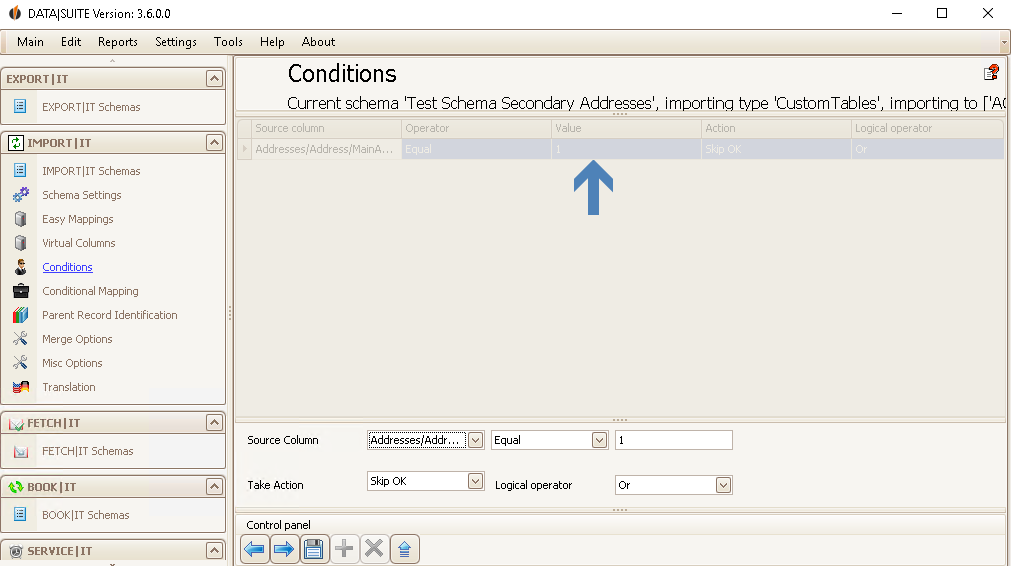
2. Configuration of the condition for secondary addresses
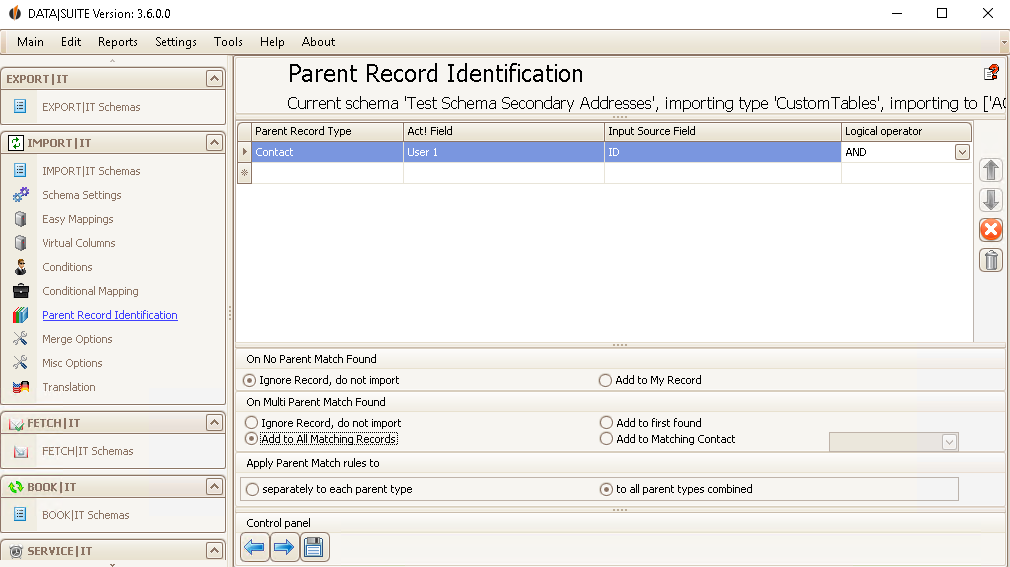
3. Configuration of the identification of the parent record with the ID in the field User 1
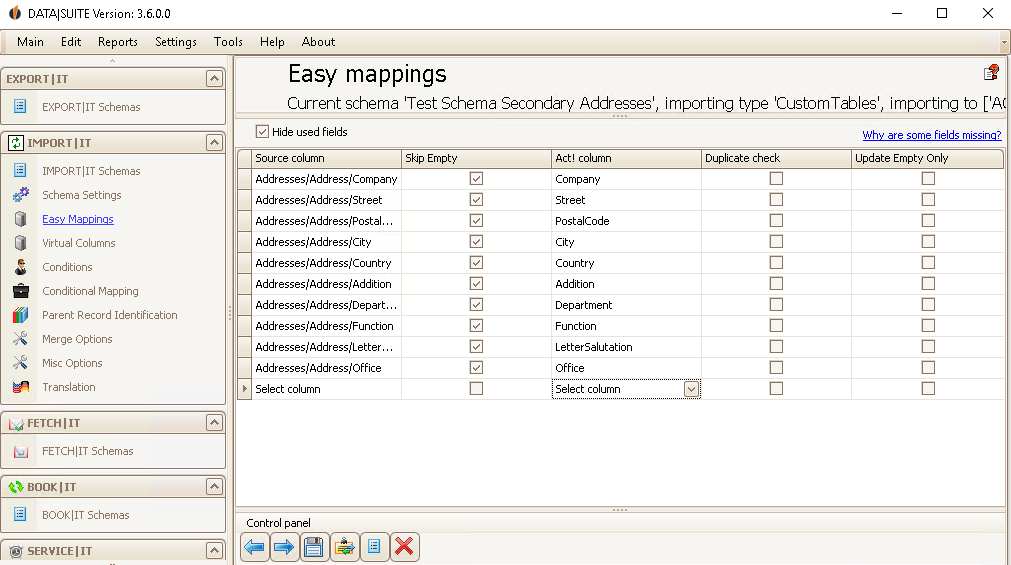
4. Easy Mapping for allocating the fields fields in order to take over the address data into the additional table
Then save the schema and perform it. You should receive the following as a result: