Export data of your customers, contacts and documents from Easybill into an Excel file for a good overview.
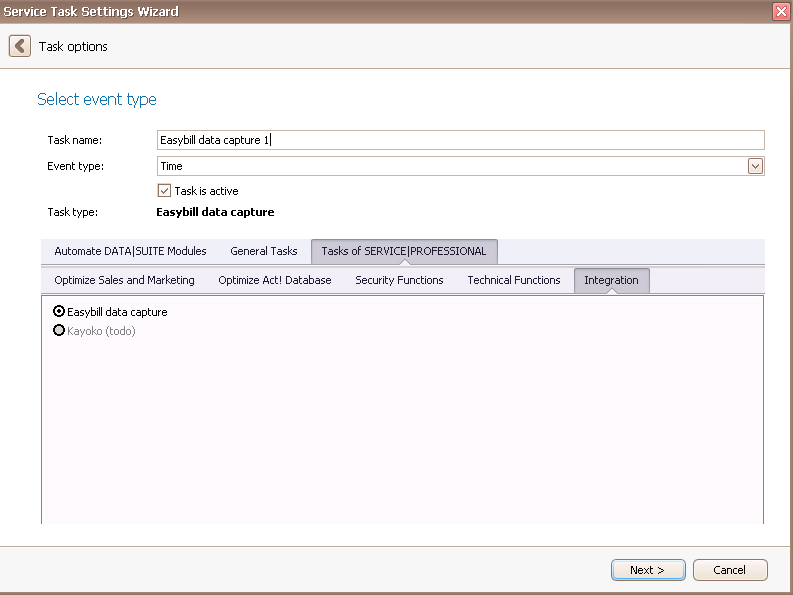
Once you have set the task type Easybill data capture you click on Next.
You will get to the schedule options. Continue reading in the Trigger Time / Trigger Task chapter to find out how to proceed.
Click on Next.
The following window will open:
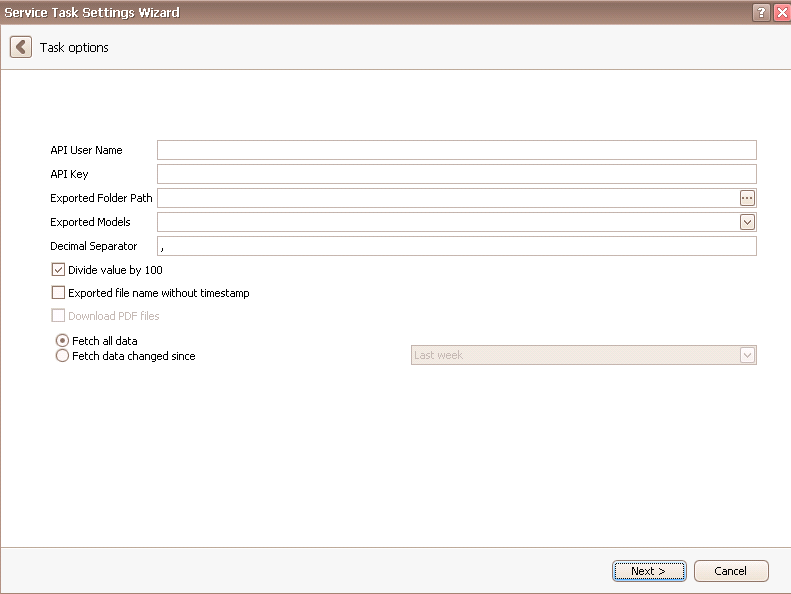
First you enter the API user name and the API key. You receive those when you register for Easybill.
Easybill is an online invoicing software you can create invoices, offers and delivery notes with.
The Exported folder path is where the Excel files with information from Easybill are saved. Click on the three dots for that. The following dialog will open:

Choose a folder or make a new one. Then you click on OK.
Next you pick the Exported models you want to export. You can choose from Customer (the customers/contacts in Easybill), Contact (the contact persons in Easybill) and Document (the receipts in Easybill).
The Decimal separator differs from country to country. In most English speaking countries it is the dot "." (e.g. in 1.45 dollars).
You also have the possibility to divide the value by 100, since sometimes the amounts of money in Easybill are displayed in cent and that way you can view the amount in pound/dollar/euro/etc. in the Excel table.
Tick Exported file name without time stamp when you do not want the Excel file to have the time of the export in its title. That way the file will be overwritten when performing several exports and you are always able to see the current version.
Now you click on Next. You will get to the following window:
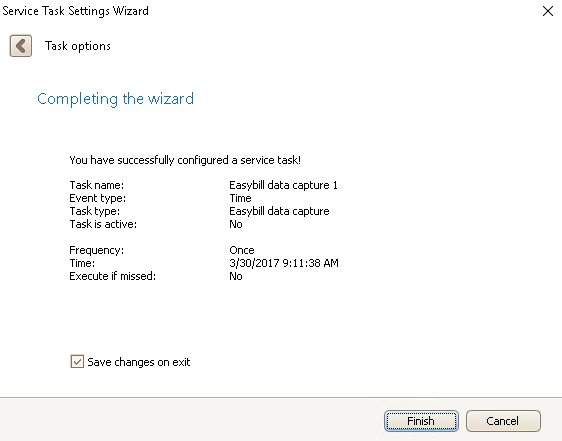
Click on Finish. You created an Easybill data capture task!

