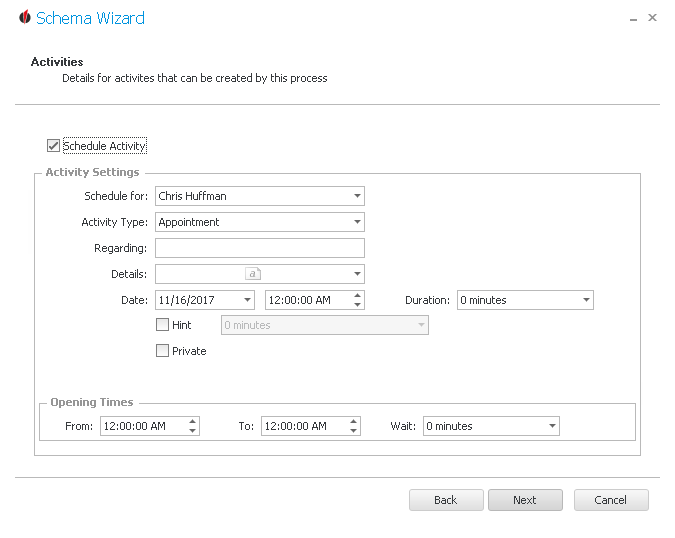
If you want to create an activity in Act! after printing reports you can do that here. First, you tick Schedule Activity.
Next you choose the contact you want to schedule the activity for from the list. Then you enter the Activity type, for example Appointment, as well as the subject (under Regarding). For details open the dropdown list and type in a short description of the activity. Click on Ok to save it and Cancel to delete it.
Now you pick a date and the time when the activity should take place and how long it should last (duration). You can also add a hint that will remind you ahead of time of the activity. Do not forget to choose when you will be reminded. In case you want to tick the activity as private, you are able to do that here.
For the opening times you enter when the chosen contact is in the office and how long his break is. Thus you make sure that you do not plan any activities during times when the staff member is not there.
In the end you click on Next. You will get to the summary.