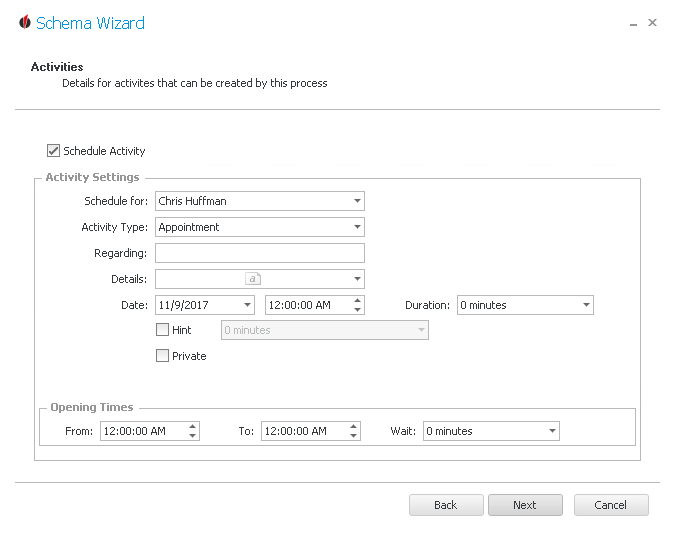
If you want to plan an activity with the fax dispatch tick Schedule Activity.
First you enter the person the activity should be scheduled for. Then you choose an activity type, for example call, and enter the subject under Regarding.
You are able to add details to the activity as well by opening the dropdown list and typing in the further information.
Then you choose the date and the time the activity should start at as well as the duration of the activity.
Also, you have the possibility to create a hint that reminds the user of the activity.
In case only you should see the activity tick Private.
In the end you enter the opening times, meaning the time the staff member the activity is planned for is in the office. This way you make sure that the activity does not happen outside of working hours.
Now click on Next. You will get to the Summary.