If you do not want to use the Microsoft Teams integration of CRMADDON, you can use the Act! standard dialog for your activities.
The following will show you how to set this up.
1. in your Act! CRM system, open Tools > CRMADDON Factory Addons > DIAL|IT Addon > DIAL|IT Configuration.

2. The following window opens, select "Detail setting" here.

3. After you have selected "Detail setting", the following window opens. Here you select the "Create activity" menu.
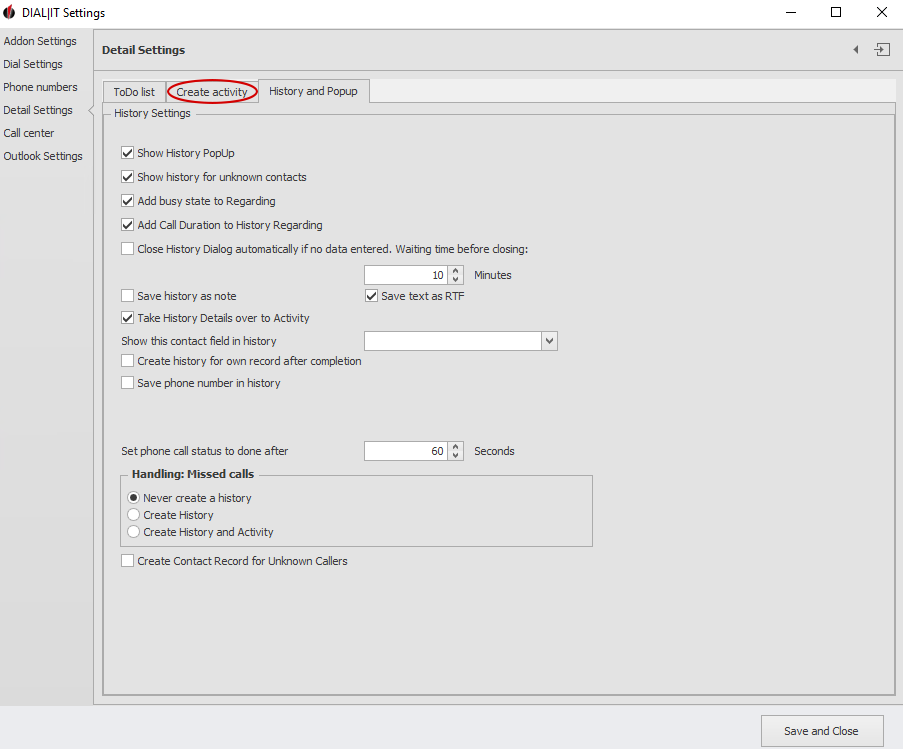
4. Finally, check the "Use Act! default dialog for activities" box in the following window and click the "Save and Exit" button.
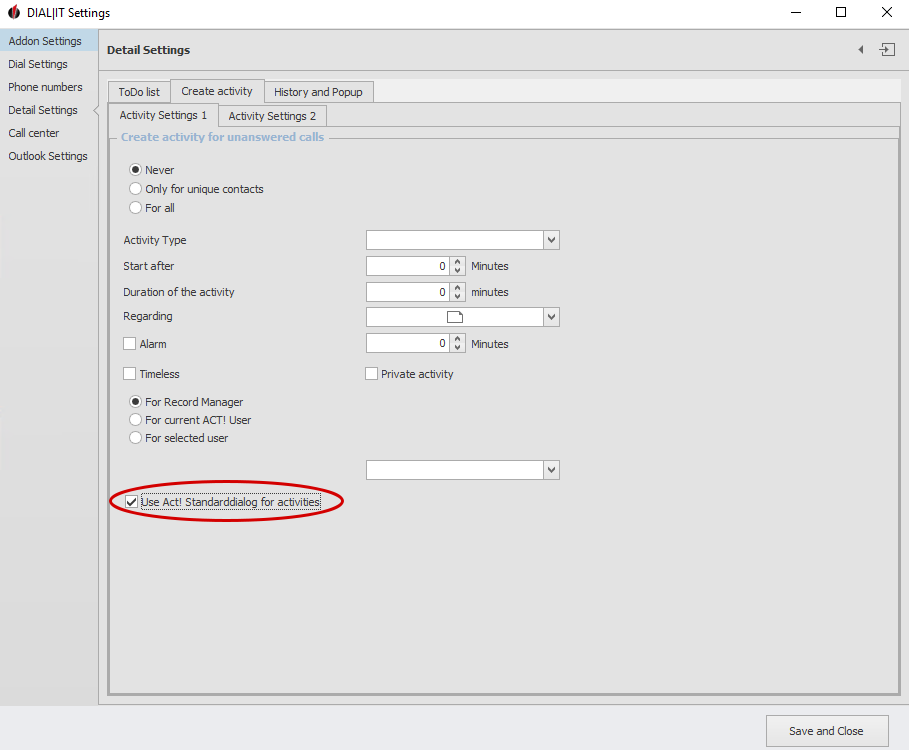
Please close your Act! CRM system after these steps and open it again. Now the standard dialog for the activities is usable.

