Here you can define minimal settings for the mapping of Act! fields during the import. Make sure you have chosen the IMPORT|IT schema you want to define the minimal mappings for before you click on Settings > Minimal mappings for the import.
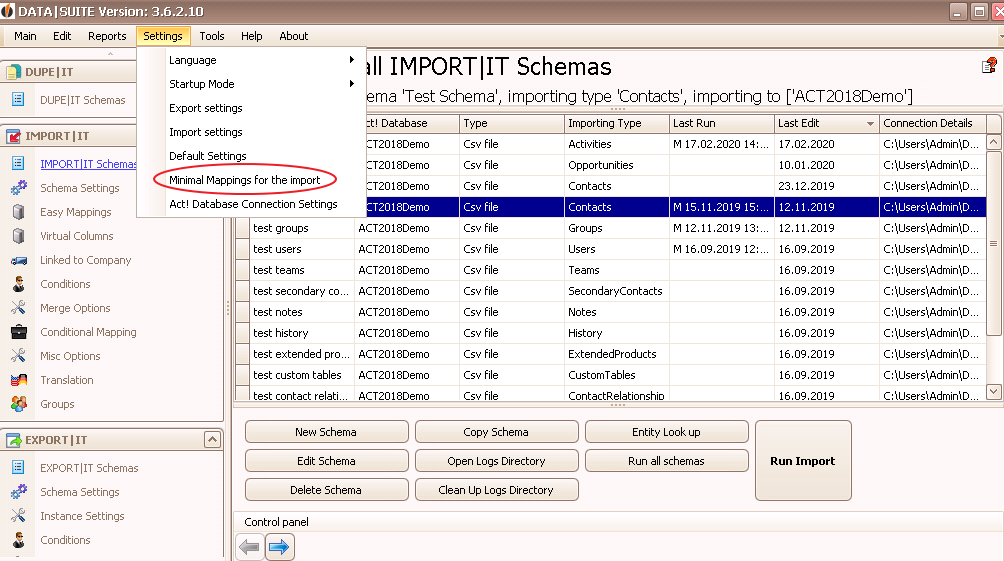
The following window appears:
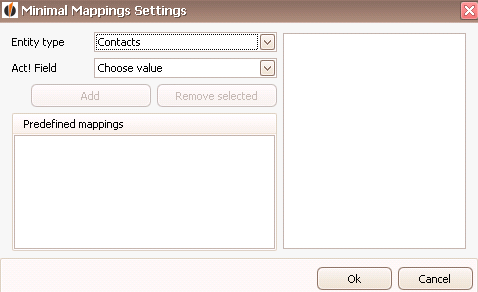
At first you choose the entity type, for example Contacts, and an Act! field that has to allocated during the Easy Mappings. Then you click on Add. You can remove fields from that list again by selecting the field and going on Remove selected.
In the end you go on OK to save your settings.

