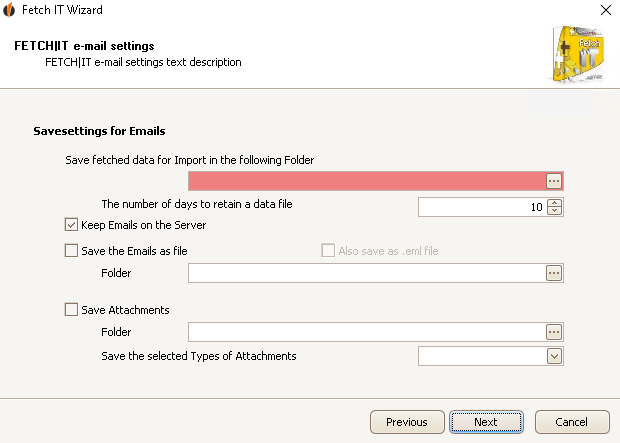
Here you choose where the e-mails will be saved for the import.
We advise you not to delete the e-mails from your e-mail server.
There is the possibility to save all e-mails in one folder. Choose the directory for that then.
If you also want to save the e-mails as an .eml file you can tick this.
You can save attachments as well. Select the folder you want to save them in and choose the formats you want to save (zip, xls, txt, pdf, rar).
To choose a directory click on the three dots behind the particular row. The following window opens:
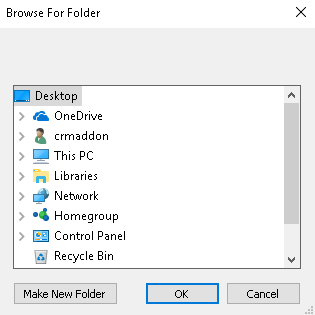
Now click on the desired folder and then on OK. You have chosen the directory now.
Once you've completed the save settings you can click on Next. The next step is to retrieve the e-mails from the configured server.

