If you have run a schema DATA|SUITE automatically creates a report. In this report you can see which data records could be imported and which records were skipped.
The following window will open, when you click on the menu point Reports > Open reports directory.

You can also get to this window via the IMPORT|IT Schemas in the navigation bar and clicking on Open logs directory.
Choose Open reports directory and click on OK:
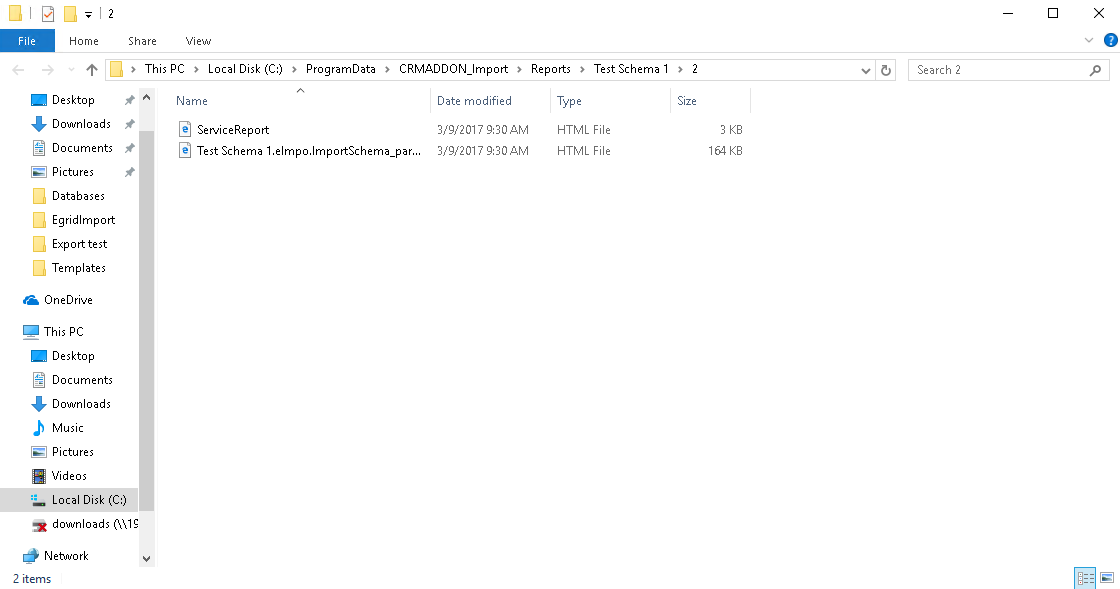
You can open the desired report with a double-click.
If you only want to open the last report choose Open the last report and click on OK.
It is possible to delete the report directory. Go to the menu point Reports > Clean up reports directory or to the list of IMPORT|IT schemas in the navigation bar and click on Clean up logs directory.
Now you will be asked if you really want to delete the reports.
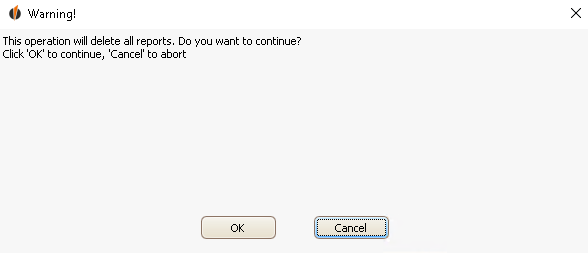
Click on OK.
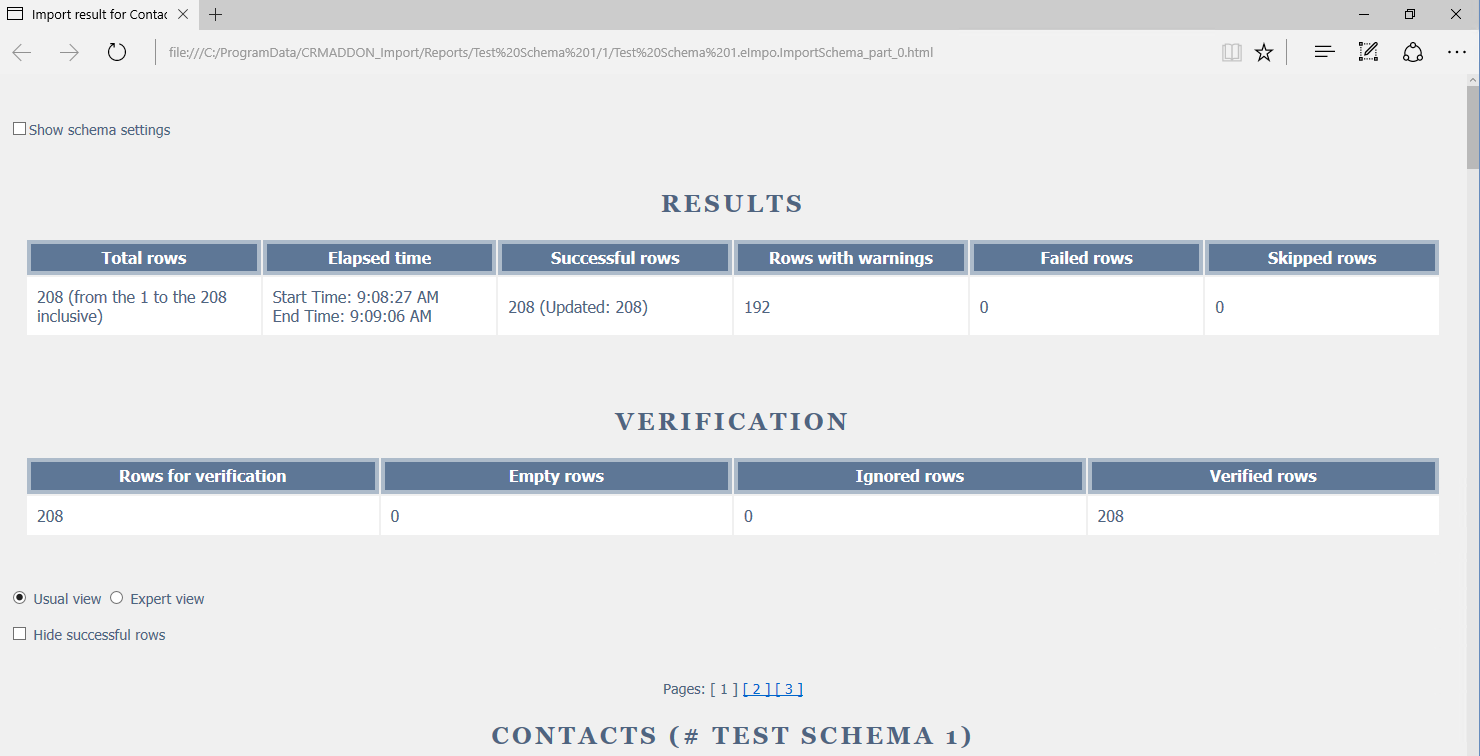
A report could look like this:
If you scroll down a little you will see more information:
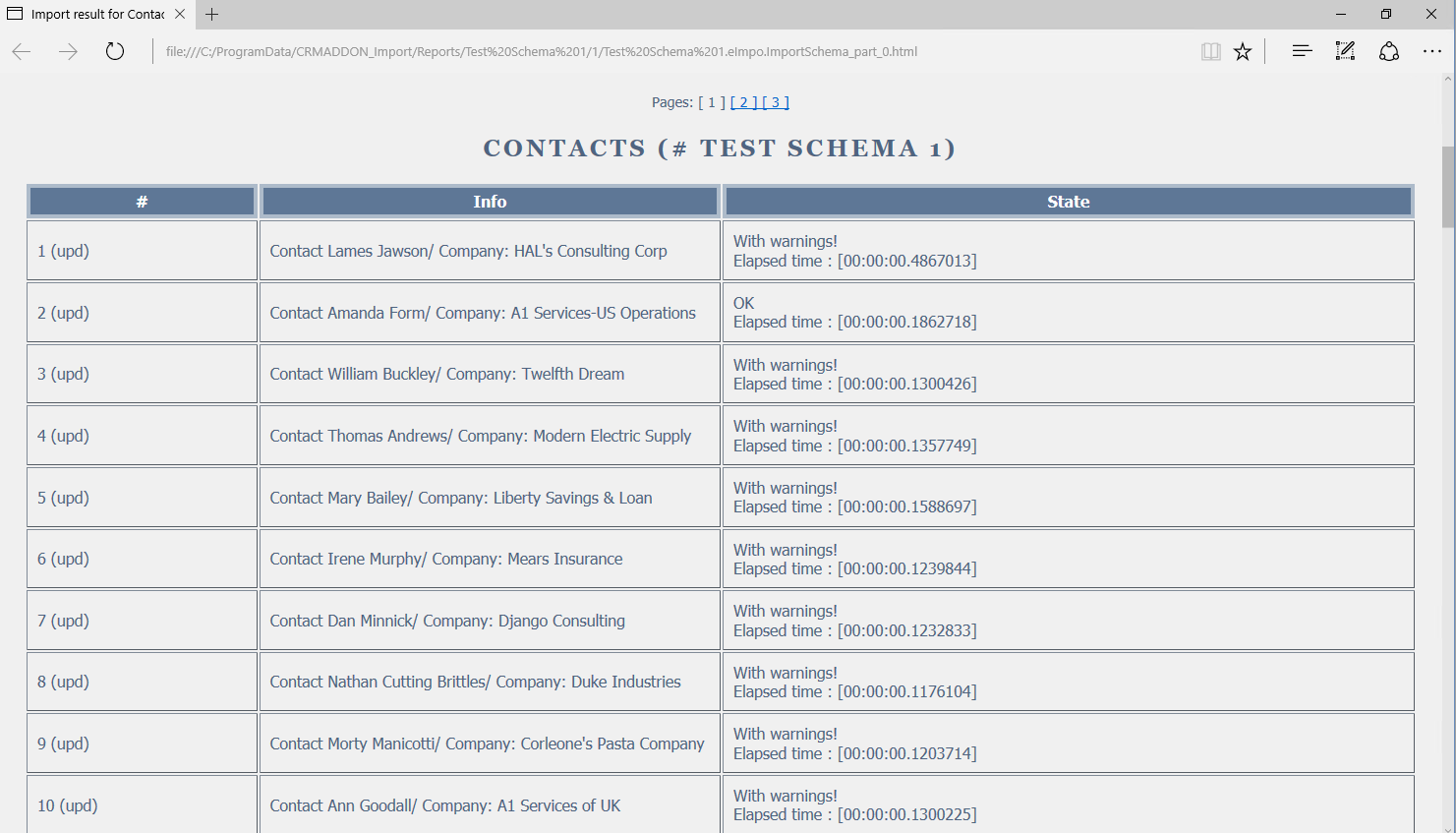
The reports will show you how many reports should have been imported, how long the import lasted, how many rows were imported successfully, how many were skipped and for how many an error occured during the import. Further down you can see the rows that weren't imported.

