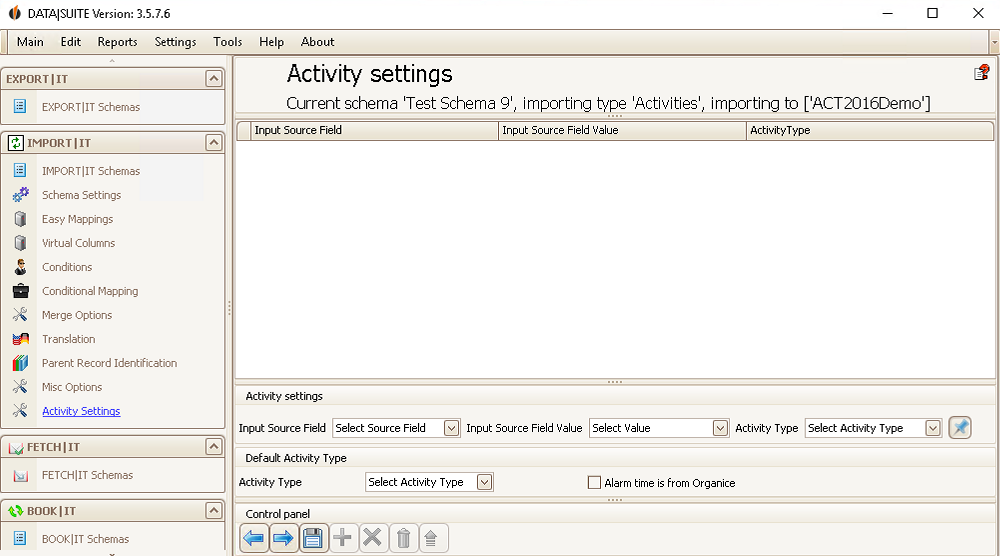
Here you can choose which activities will be imported. Under Input Source Field you can set the Duration, for example. For Input Source Field Value you pick the desired value, e.g. 10 minutes. Then you decide on the Activity type. In the last row you enter the Activity type again. If the alarm time (how many minutes ahead of time Act! notifies you about the activity) was created by you, you can tick this, too.
Once you are finished, click on the Save symbol. |