Welcome to Act! CRM, one of the most widely used CRM systems in the world. This simplifies your day-to-day work and has everything to do with your contacts under control at all times.
Initial licensing in nine steps
Step 1: Open Act! CRM by double-clicking the icon on your desktop, from the Start menu or from the task bar:

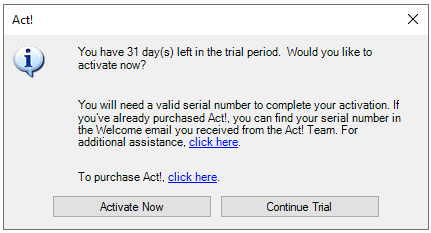
Step 2: After opening Act! the following window appears. Then please click on "Activate now".
|
Note: The displayed window appears when the trial version has expired. If you register Act! without a previous trial period, the window appears without the first paragraph of text. In this case also click on "Register now".
|

Step 3: Click on "Register now" to open a new window. Click on "Activate your license online" and then on "Next".
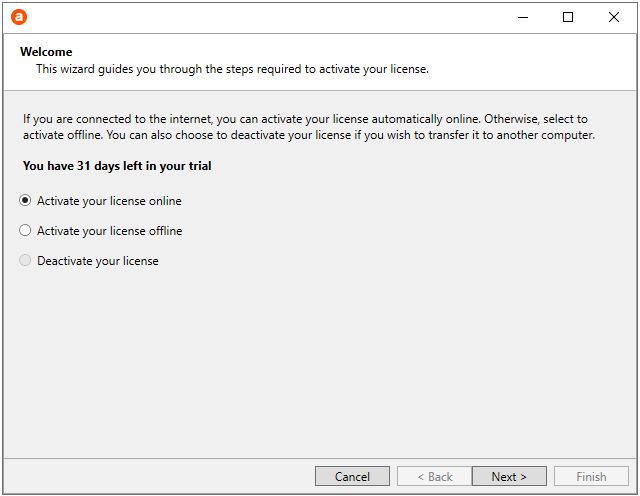
Step 4: On the new window, you will need to provide your full contact details to register. Click on "Next" again later.

Step 5:Enter the serial number you received from us.
Step 6: Then click on " Next".
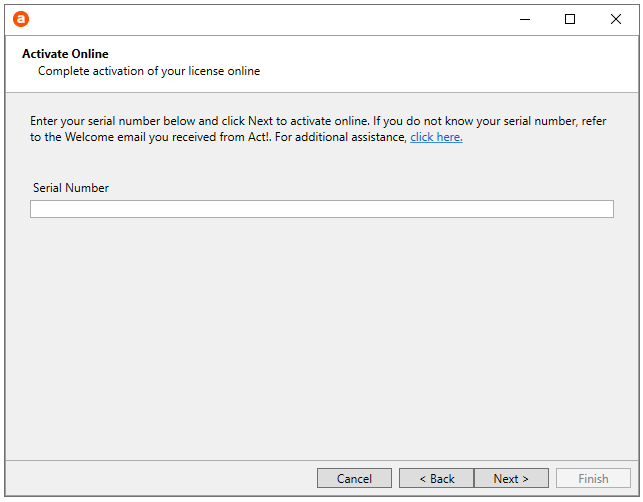
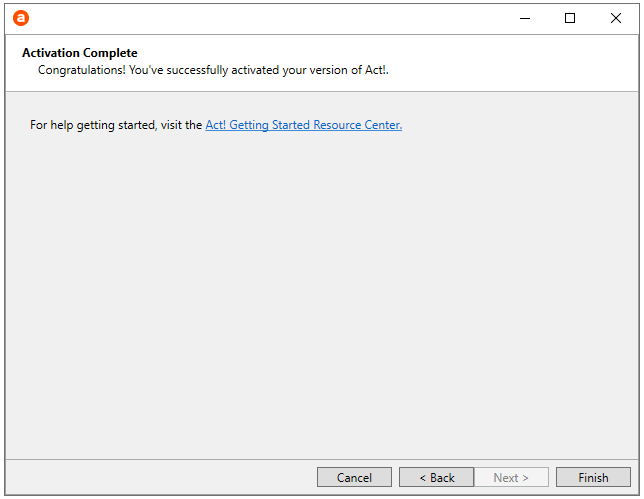
Step 7:Finally, click "Finish" to register.
Step 8: With a left mouse click you can update the activation.

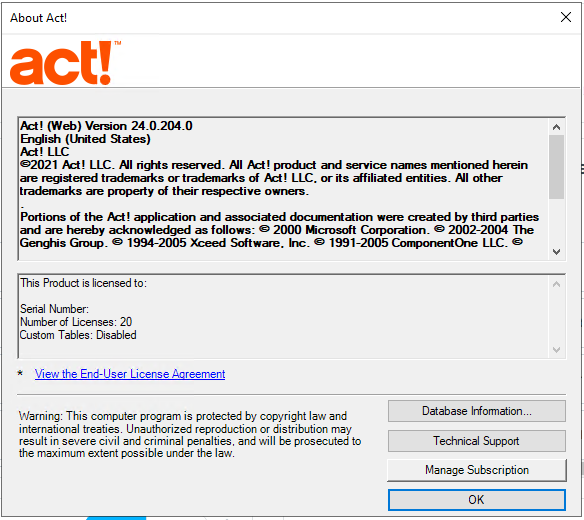
Step 9: By left-clicking with the mouse you can also find more information about your Act! version.
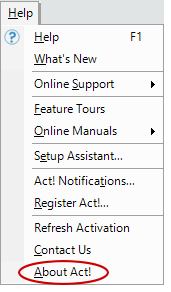
Step 10: Here you can see what is included in the info about Act!