Common Settings tab
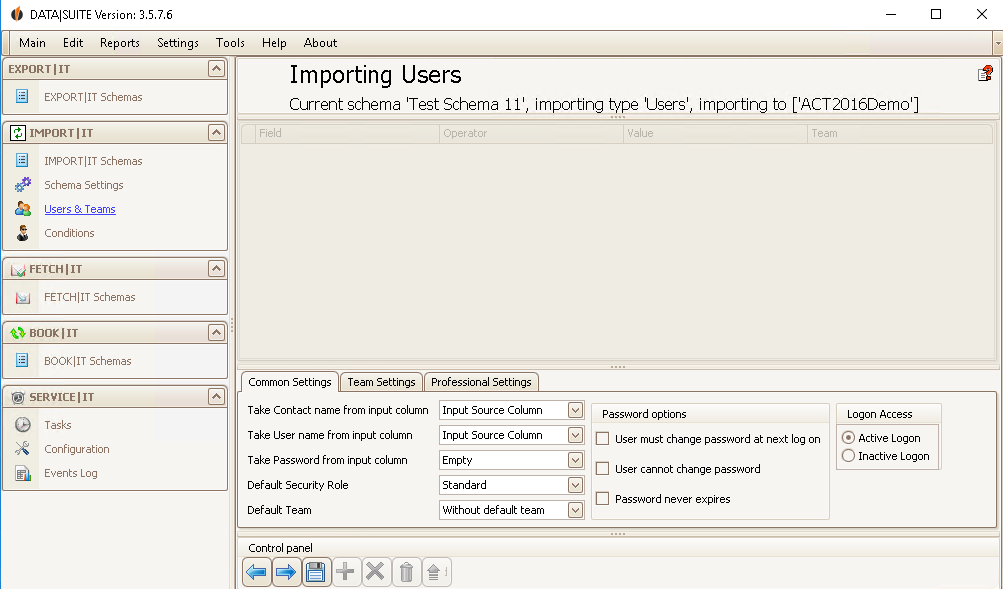
When you want to import users you can choose from which source fields the contact, the user name and the password is taken. Also, there is the possibility to set the default security role of every user you are importing as well as the default team.
Under Password options you choose if the user has to change his password at the next login, if the user cannot change the password and if the password never expires.
In order to deactivate the user account in the database you import to you tick Inactive Logon under Logon Access.
Team Settings tab
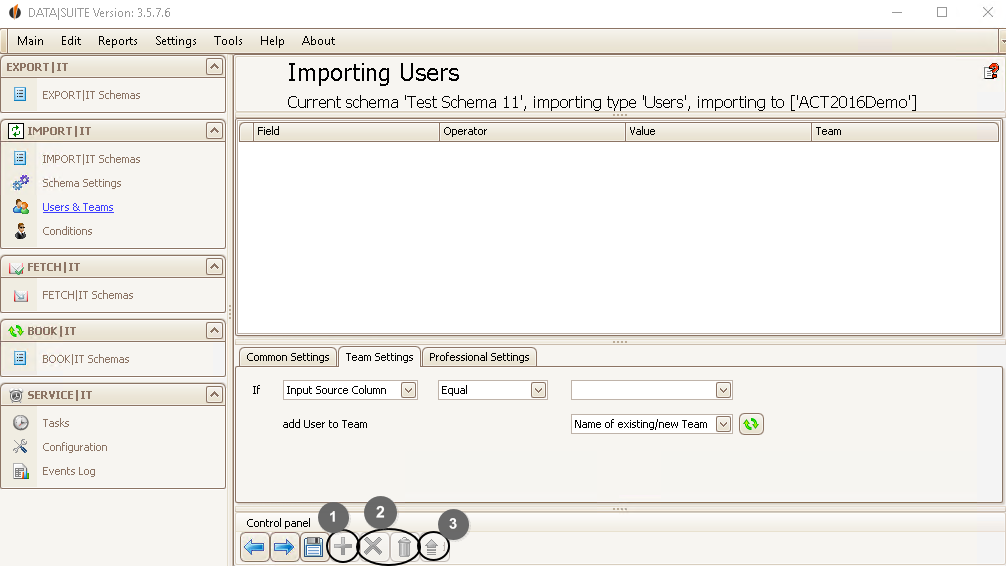
You can assign the users you want to import to teams in Act!. If the Input Source Column you have chosen contains/starts with/etc. (=Operator) a certain Value then the user will be added to the team you pick under Name of existing/new team.
With the + (1) you can save these settings, with the X you can delete a selected row and by clicking on the trash bin icon (2) you can delete all of the rows. Double-click on a row in order to edit it. With the blue arrow (3) you can update the information.
Professional Settings tab
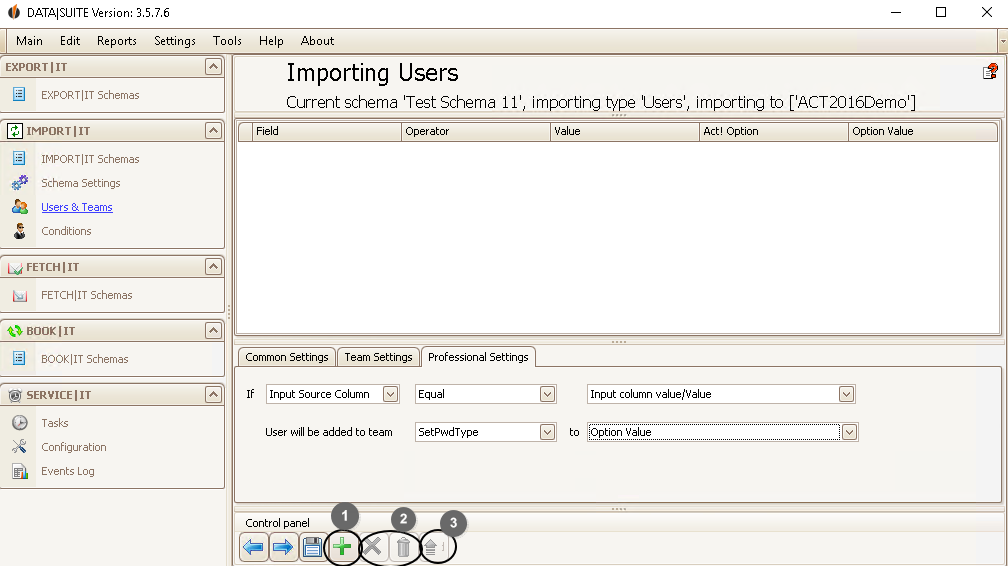
If an Input Source Column contains/starts with/etc. (=Operator) a certain Value then a function will be carried out for this data record. You can either change the Role of the user, if he is active or inactive or what happens with the Password. The password options are the following: None, Never expires, Cannot change, change for next logon, Never expires & cannot change, Never expires & next logon.
With the + (1) you can save this setting, with the X (2) you can delete a selected row and by clicking on the trash bin icon (2) you delete all of the rows. If you double-click on a row you can edit it again. With the blue arrow (3) you can update the information.
In the end you click on the Save symbol.

