A history is always a protocol about a completed acitivity (doesn't matter if the acitivity has been created in Act! before or not).
Here you can choose which histories should be imported. The Type Column is the source field, e.g. the first name. The Column Value is the value for this field. The Activity Type can be a call, for example. A completed task always has a result. For Result Column enter the source field again and then for Result value type in the result. In the end there is the History Result, this is how the activity is completed in Act!.
Now you have to enter the Default Activity type, e.g. call, and the Default Result.
After that you can add the setting with the green +. If you have selected a setting you can delete it with the red X. With the trash bin icon you delete all of the rows. Double click on one of the settings to edit it again below. With the
In the end you click on the Save symbol. |
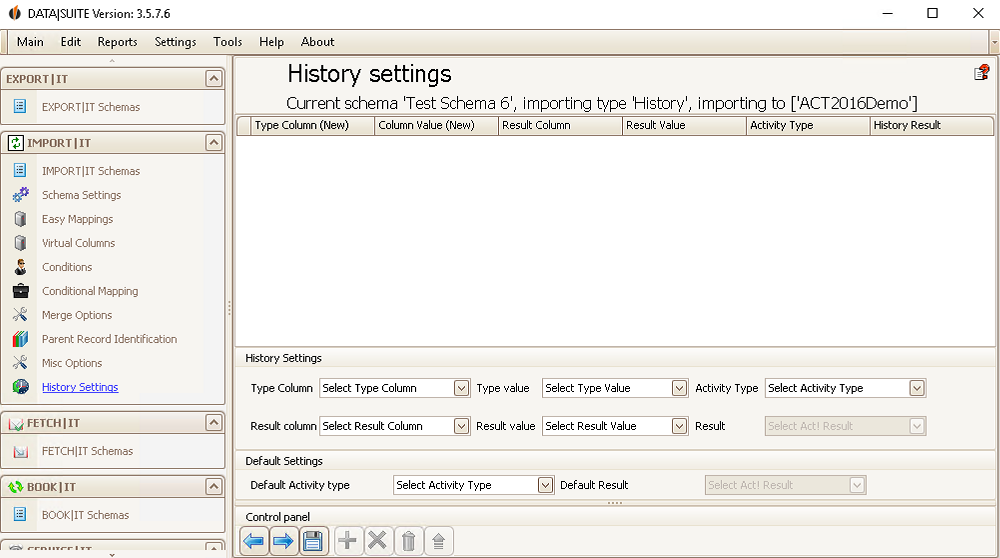
 icon you can update the settings.

