1. Option
For the computer key you first click on Scan QR Code. Then a window with a QR code appears:

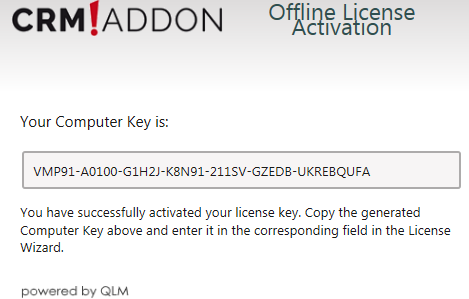
Scan the QR code with any QR code scanner on your smartphone. Before scanning, make sure your mouse cursor does not overlap with the QR code. Then you open the link. The computer key will now be displayed:
2. Option
Open the following link:
http://lizenz.crmaddon.com/qlmcustomersite/index.html
You should now see the following window:
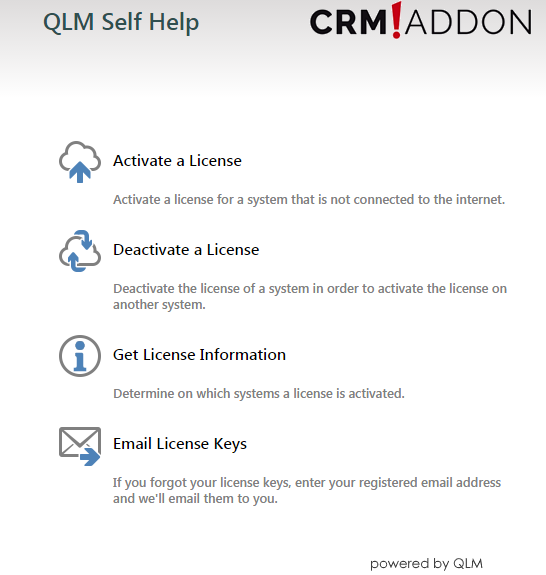
Click on Activate a License. You will be forwarded to this dialog:
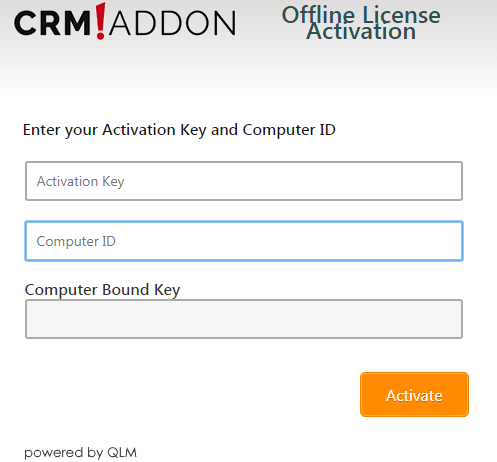
Insert the computer ID you have previously copied by clicking CTRL + V or with a right click and then insert.
Then go back to the license wizard and copy the Activation key. Insert it as described above. Now click on Activate.
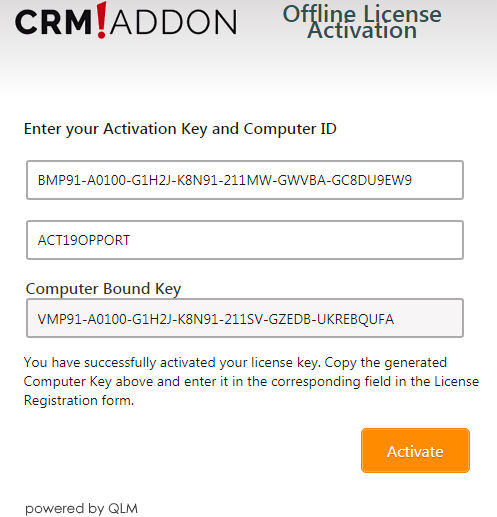
You can copy the Computer Bound Key and insert it to the particular field in the licensing wizard.
Now continue reading in the Offline activation chapter.